Black Friday: extra 5% off in the app with code

 200+ destinations
 24/7 support
 Refunded if unused

Explore the world without limits.
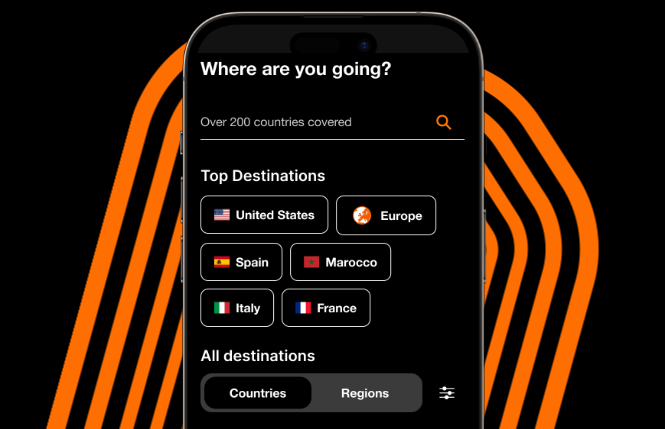
Find the best eSIM for your destination
Unlimited data, calls, SMS and hotspot included.
Already a customer?
Top up my eSIM or SIM card

🖤 Black Friday: up to 80%
Go further, stay connected, save more.
35+ dream destinations on sale, including Europe, Egypt, Morocco, Thailand and the Philippines.
Get your travel eSIM for up to 80% off and stay connected from the moment you land. Offer ends 30 November. ⏳
Is your smartphone eSIM compatible?
Apple
- iPhone Air
- iPhone 17 (17 / 17 Pro / 17 Pro Max)
- iPhone 16 (16 / 16e / 16 Plus / 16 Pro / 16 Pro Max)
- iPhone 15 (15 / 15 Plus / 15 Pro / 15 Pro Max)
- iPhone 14 (14 / 14 Plus / 14 Pro / 14 Pro Max)
- iPhone 13 (13 / 13 mini / 13 Pro / 13 Pro Max)
- iPhone 12 (12 / 12 mini / 12 Pro / 12 Pro Max)
- iPhone 11 (11 / 11 Pro / 11 Pro Max)
- iPhone XS / XS Max / XR
- iPhone SE (2nd gen 2020 / 3rd gen)
- iPad 10th Gen
- iPad 8th Gen (WiFi+Cellular)
- iPad Air (3rd / 4th / 5th Gen - WiFi+Cellular)
- iPad mini (5th Gen)
- iPad Pro 11-inch (3rd / 4th Gen - WiFi+Cellular)
- iPad Pro 12.9-inch (3rd / 4th / 5th / 6th Gen - WiFi+Cellular)
Fairphone
- Fairphone 4
- Fairphone 5
- Fairphone 6
- Google Pixel 7 (7 / 7 Pro)
- Google Pixel 6 (6 / 6a / 6 Pro)
- Google Pixel 5 (5 / 5a)
- Google Pixel 4 (4 / 4a / 4a 5G / 4 XL)
- Google Pixel 3 (3 / 3a / 3a XL / 3 XL)
- Google Pixel Fold
- Google Pixel 8 (8 / 8a / 8 Pro)
- Google Pixel 9 (9 / 9a / 9 Pro / 9 Pro Fold)
- Google Pixel 10 (10 / 10a)
Honor
- Honor Magic V (V2 / V3 / Vs3)
- Honor Magic4 Pro
- Honor Magic5 Pro
- Honor Magic6 (Magic6 Pro / Magic6 Pro RSR)
- Honor Magic7 (Magic7 Lite / Magic7 Pro)
- Honor 90
- Honor 200 (200 / 200 Pro)
- Honor 400 (400 / 400 Lite / 400 Pro)
Huawei
- Huawei Mate 40 Pro
- Huawei P40 (P40 / P40 Pro)
Motorola
- ThinkPhone (ThinkPhone 25)
- Motorola Razr (Razr 2019 / Razr 5G / Razr 2022 / Razr 40 / Razr 40 Ultra / Razr 50 / Razr 50 Ultra / Razr 60 / Razr 2024 / Razr+
- Moto G (2024 / 2025 / G34 / G35 / G53 / G54 / G54 Power / G55 / G75 / G85 / G86 / G Power 2024 / G Stylus 5G)
- Motorola Edge (2022 / 2023 / 2024 / Edge+ / Edge+ 2023 / Edge Fusion)
- Motorola Edge 40 (40 Neo / 40 Pro)
- Motorola Edge 50 (50 / 50 Fusion / 50 Neo / 50 Pro / 50 Ultra)
- Motorola Edge 60 (60 / 60 Fusion / 60 Pro / 60 Stylus)
Nothing
- Nothing Phone (2)
- Nothing Phone (1)
Nuu Mobile
- Nuu X5
OnePlus
- OnePlus Open
- OnePlus 11
- OnePlus 12
- OnePlus 13 (13 / 13R)
- OnePlus 15 (15 / 15R)
Oppo
- Oppo Find N (Find N2 Flip / Find N5)
- Oppo Find X8 (X8 / X8 Pro)
- Oppo Find X5 (X5 / X5 Pro)
- Oppo Find X3 (X3 / X3 Pro)
- Oppo Reno14 (Reno14 / Reno14 Pro)
- Oppo Watch X2 Mini
Rakuten
- Rakuten Big (Big / Big S)
- Rakuten Hand (Hand / Hand 5G)
- Rakuten Mini
Samsung
- Galaxy Z Flip (Flip / Flip3 5G / Flip5 5G / Flip7 / Flip7 FE)
- Galaxy Watch4 (Watch4 / Watch4 Classic)
- Galaxy A (A35 / A36 / A54 5G / A55 / A56)
- Galaxy Z Fold (Fold / Fold2 / Fold3 / Fold5 / Fold7)
- Galaxy S26
- Galaxy Note20 (Note20 / Note20 5G / Note20 Ultra / Note20 Ultra 5G)
- Galaxy XCover (XCover7 Pro)
- Galaxy S25 (S25 / S25+ / S25 Ultra / S25 Edge)
- Galaxy S24 (S24 / S24+ / S24 Ultra / S24 FE)
- Galaxy S23 (S23 FE)
- Galaxy S22 (S22 5G / S22+ 5G / S22 Ultra 5G)
- Galaxy S21 (S21 5G / S21+ 5G / S21 Ultra 5G)
- Galaxy S20 (S20 5G / S20+ 5G / S20 Ultra 5G)
Sharp
- AQUOS R (R10 / R9 / R9 Pro / R8 / R8 Pro / R8s Pro)
- AQUOS Sense (Sense9 / Sense8 / Sense7 / Sense7 Plus)
- AQUOS Wish
- AQUOS Zero (Zero6)
Sony
- Xperia 1 (1 IV / 1 V / 1 VI / 1 VII)
- Xperia 10 (10 III Lite / 10 IV / 10 V / 10 VI)
- Xperia 5 (5 IV / 5 V)
Vivo
- Vivo Watch 5
- Vivo X90 Pro
- Vivo X100 Pro
- Vivo X200 (X200 / X200 Pro / X200 FE / X200s)
- Vivo V50 (V50 / V40 / V40 Lite / V29 / V29 Lite 5G)
Xiaomi
- Redmi Note 14 (14 Pro / 14 Pro 5G / 14 Pro+ / 14 Pro+ 5G)
- Xiaomi Poco (Poco X7)
- Xiaomi T Series (12T Pro / 13T / 13T Pro / 14T / 14T Pro)
- Xiaomi 13 (13 / 13 Lite / 13 Pro)
- Xiaomi 14 (14 / 14 Pro)
- Redmi Note 11 Pro 5G
- Redmi Note 13 (13 Pro / 13 Pro+)
- Xiaomi 15 (15 / 15 Ultra)
How it works
Choose your destination
Search for the country or region you're travelling to.
Check your phone compatibility
Check that your phone supports eSIM.
Select your plan
Choose the plan that best fits your trip.
Activate when you arrive
Install your eSIM before your trip and activate it when you arrive.
Why travelers choose Orange Travel


 Verified

Rely on Orange Travel
I depend on Orange Travel whenever I go overseas. The phone and data coverage is excellent and the service is great.
 Verified
Easy to use
Easy to use, very reliable service. We used Orange for the second time, last year in Morocco and this year in Tunisia. Both experiences were flawless.
 Verified
Orange is my first option for E-sim…
Orange is my first option for E-sim card during my Europe trips. They offer a good price with great products.
Orange Travel in numbers
customers
Orange is a trusted worldwide network
network partners
Access to top tier networks worldwide
destinations
Travel across destinations, regions, or worldwide with one eSIM
human support
Get help from real people, anytime you need it
refunded
Unused eSIM? Get a full refund.
Manage your eSIM easily with the Orange Travel app.

Buy, manage and top up your eSIM in one place.

4.2

4.7

Frequently Asked Questions
Yes. Your Orange Travel eSIM is added alongside your usual SIM, not instead of it. You can keep your own number active for calls and texts, while your Orange Travel eSIM handles your data abroad. Both lines live on your phone at the same time, and you switch between them in your phone settings. When you install your eSIM, give it a name like “Orange Travel” so you always know which line you’re using. Your apps keep working as usual. WhatsApp, for example, is linked to the number you signed up with, not to the SIM you’re using for data, so your chats, groups and calls carry on exactly as before. There’s nothing to re-register and no new number to share with your contacts.
You can buy your eSIM any time before you leave, there’s no need to wait until the last minute. Your QR code arrives by email a few minutes after your order, and you can also find it anytime in your Orange Travel account. Install it before you leave, while you still have a stable Wi-Fi connection. A few hours before your trip is ideal. Installing takes about two minutes, and it’s much easier at home than in an airport queue (it does require an internet connection). Activate it once you arrive, by turning on data roaming for your Orange Travel line.
Yes. As long as your eSIM is still active, you can keep it installed on your phone and simply top it up before your next trip: no new eSIM to buy, no QR code to scan again, nothing to reinstall. Topping up takes a minute from the Orange Travel app or website.
Our support team is available 24/7 by chat, wherever you are and whatever the time where you’re travelling. You can reach us from the Orange Travel website or from the app. Most cases are solved in a few minutes. Very often, it’s simply a matter of turning on data roaming or selecting the right network on arrival. To get an answer faster, have your order reference ready. It’s in your confirmation email and starts with ORLTRVL.