eSim for Google Pixel 8
Good news! Your Google Pixel 8 is compatible eSIM. Here are our plan offers.

Compatible smartphones and tablets equipped with eSIM.
Pay safely







Travel with peace of mind!
Calls, SMS, unlimited data and hotspot: with Orange Travel, explore the world without limits and without compromise!
Our global offers
30-day plans
Pay safely
How to use your international eSIM for travel
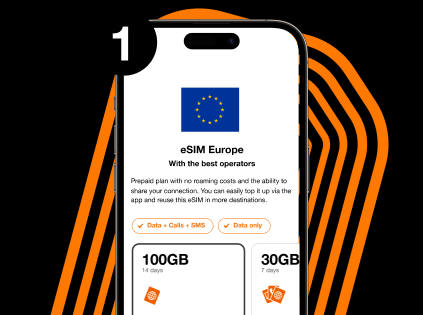
Choose the eSIM plan that suits you best
Choose your destination country and select the plan that best fits your needs
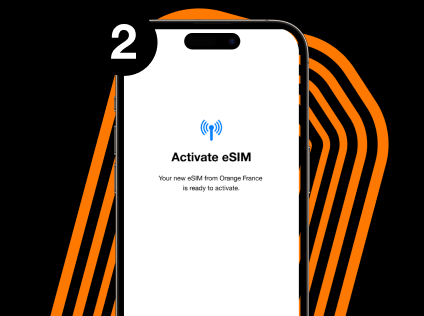
Add the eSIM card to your phone
Install the eSIM on your device by following the provided instructions.
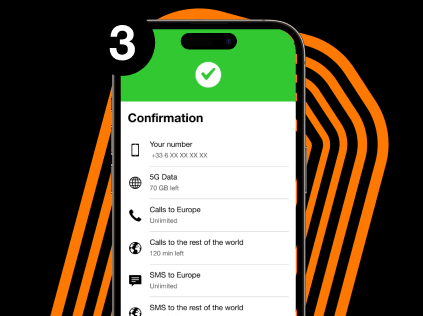
Enjoy your plan
Use your eSIM right away and top it up whenever you want.
Choose the eSIM plan that suits you best
Choose your destination country and select the plan that best fits your needs
Add the eSIM card to your phone
Install the eSIM on your device by following the provided instructions.
Enjoy your plan
Use your eSIM right away and top it up whenever you want.

To install your eSIM on your device, you will need an internet connection. Remember to do this just before your trip abroad or once you arrive, using a Wi-Fi network.
The advantages of an eSIM card
Instant delivery
No more waiting around. Get your eSIM instantly by email or straight in the app right after you order.
No shipping, no store visits — just tap, activate, and go.

Partner network
No roaming fees
Travel without surprises — our eSIM lets you know exactly what you’ll pay before you connect.
Reusable and rechargeable
Keep your same eSIM and number when you top up — no need to reinstall anything. Stay in control with prepaid data for total peace of mind.
Frequently Asked Questions about eSIM for Google Pixel 8
Yes, the eSIM doesn't change your number if used alongside your current SIM. For optimal use, you can easily switch between the two lines from your phone settings according to your needs.
Yes, on Dual SIM compatible devices (including iPhones), you can manage two separate lines simultaneously.
Yes, renewing an eSIM plan works like a regular plan. You can extend or renew it directly from your customer account.
An eSIM is a digital SIM card integrated directly into your device. It replaces the physical SIM card and is easily activated by scanning a QR code or through your operator's application.
Looking for another phone?
or any other phone!

Orange Travel in numbers
customers
Orange is a trusted worldwide network
network partners
Access to top tier networks worldwide
destinations
Travel across destinations, regions, or worldwide with one eSIM
human support
Get help from real people, anytime you need it
refunded
Unused eSIM? Get a full refund.
Pay safely
Pay safely
Pay safely